> For the complete documentation index, see [llms.txt](https://docs.humanity.org/llms.txt). Markdown versions of documentation pages are available by appending `.md` to page URLs; this page is available as [Markdown](https://docs.humanity.org/developer-guides-and-tutorials/generating-mock-credentials.md).
# Generating Mock Credentials
Create test credentials for development and testing. Mock data generation for SDK flows and on-chain verification without real palm scans.
As developer you may want to generate mock credentials to test against your applications.
Humanity provides a testing playground through a credentials generator that is tied both to `sandbox` environment when working with the **SDK / API** and `Humanity testnet` when working with **On-Chain** infrastructure.
The process involves
1. Creating the Mock Credential.
2. Using the Mock Credential.
## 1. Creating the Mock Credential
1. Go to and Sign up or Log in.
2. Once inside the Dashboard, select the ***Create tab*** and search for the credential you want to generate.
In the example below we are going to create a mock credential for ***Palm Print*** which is included under the API's `identity:read` scope.
The scope exposes the `is_human` preset, allowing us to check whether or not an account has passed ***a KYC check OR palm enrollment via mobile app or hardware***.
> ℹ️ A complete list of scopes and presets and how they are bundled is here [SDK OAuth Scopes and Presets](/build-with-humanity/build-with-the-sdk-api/sdk-oauth-scopes-and-presets.md)
Select the credential then click ***Generate Credential*** to complete the process.
Once created, you can view all your current active credentials as well as delete them from the View/Delete tab.
## 2. Using the Mock Credential
### Working with the SDK / API
Visit the ***Developer Portal*** at and select the application you want to work with.
Then go to **Settings** tab and select the scopes your application is going to request matching the mock credentials you generated from the Credentials Generator.
{% hint style="warning" %}
Make sure you are under ***sandbox*** tab when selecting your app scopes.
{% endhint %}
In the example below we are setting our app to request **`is Human`** by selecting **`Identity Information`** mapped as **`identity:read`** scope which includes the ***Is Human*** field.
Your app then will request your users for consent to expose the `identity:read` scope which included the `is_human` preset through the OAuth flow so you can check your app against your generated mock credentials.
### Working On-Chain
Your dApp can check against these mock credentials as well when working with `testnet` . Think of it as *the equivalent of the sandbox environment* when working with the SDK / API .\
\
This way you can, for example, check if a user is a unique human (went through palm or vein scan) and safely test that credential in your dApp.
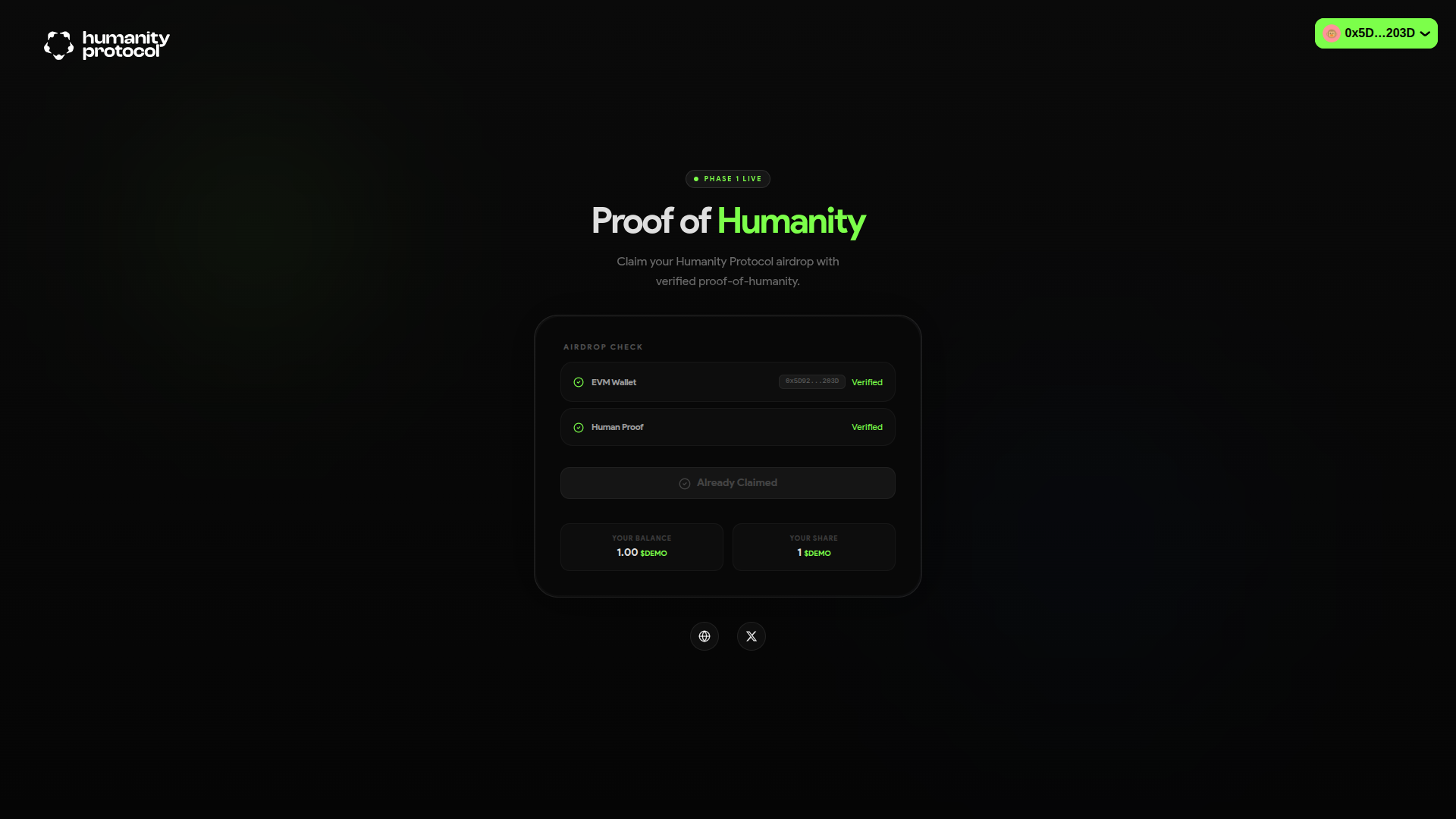
The image above shows the front end for an dApp deployed on `testnet` which is checking a wallet address against the On-Chain Oracle returning the requested credential (with claimID `humanity_identity` ) for our dApp to determine whether or not a particular wallet address is eligible for an airdrop.
\
---
# Agent Instructions
This documentation is published with GitBook. GitBook is the documentation platform designed so that both humans and AI agents can read, navigate, and reason over technical content effectively. Learn more at gitbook.com.
## Querying This Documentation
If you need additional information that is not directly available in this page, you can query the documentation dynamically by asking a question.
Perform an HTTP GET request on the current page URL with the `ask` query parameter, and the optional `goal` query parameter:
```
GET https://docs.humanity.org/developer-guides-and-tutorials/generating-mock-credentials.md?ask=&goal=
```
`ask` is the immediate question: it should be specific, self-contained, and written in natural language.
`goal` is optional and describes the broader end goal you are ultimately trying to accomplish on behalf of the user. GitBook uses it to tailor the answer towards what is most useful for that goal.
The response will contain a direct answer to the question and relevant excerpts and sources from the documentation.
Use this mechanism when the answer is not explicitly present in the current page, you need clarification or additional context, or you want to retrieve related documentation sections.